Optimizing Images with Cloudinary
Learn how to use Cloudinary for automatic image optimization and fast CDN delivery
Why Image Optimization Matters
Images often make up the majority of a website's page weight. Optimizing them is crucial for performance, especially on mobile devices.
Cloudinary automatically serves the best image format (WebP, AVIF) based on browser support!
Automatic Format & Quality Optimization
With Cloudinary's f_auto and q_auto parameters, you get:
- Automatic format selection - WebP for Chrome, AVIF for modern browsers, JPEG fallback
- Quality optimization - Reduces file size while maintaining visual quality
- Responsive delivery - Serves appropriately sized images based on device
Example: Restaurant Website
Here's a screenshot from a production website I built, served from Cloudinary:
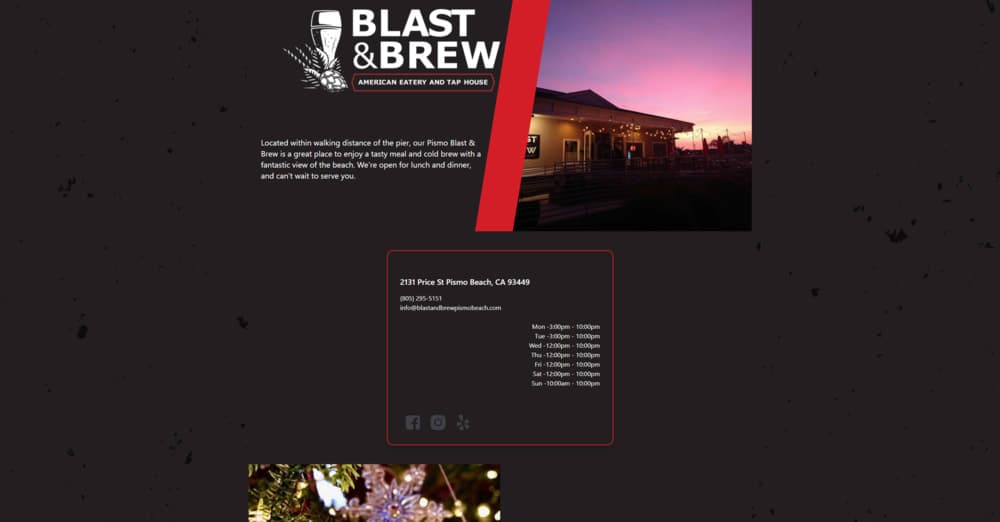
Notice how the image:
- Loads quickly from Cloudinary's global CDN
- Automatically serves WebP format to supported browsers
- Includes a subtle hover effect
- Has a beautiful shadow that matches our theme
This image is automatically optimized and cached globally for lightning-fast delivery!
Code Example
Here's how simple it is to use Cloudinary images in MDX:
<CloudinaryImage
  src="Portfolio/my-image.png"
  alt="Description"
  caption="Optional caption"
/>
Or with a full URL:
<CloudinaryImage
  src="https://res.cloudinary.com/your-cloud/image/upload/..."
  alt="Description"
/>
Benefits
Using Cloudinary for image delivery provides:
- Automatic optimization - No manual work required
- Global CDN - Fast delivery worldwide
- Reduced build size - Images aren't in your repository
- Format flexibility - Supports all modern formats
- Transformations - Resize, crop, and transform on-the-fly
Make sure to set appropriate width and height props for proper layout sizing!
Conclusion
Cloudinary makes image optimization effortless. Combined with Next.js's next/image component, you get automatic lazy loading, blur placeholders, and responsive sizing - all with minimal configuration.